Setting up an Android Development Environment Part 2
Essential commands and tools for your Android development environment - a quick start guide
By Seun Akinwunmi ·
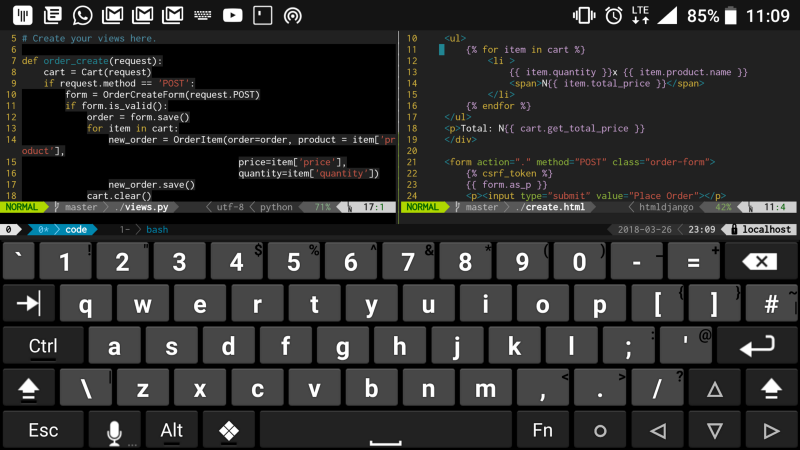
This is the second part in the series.
After part 1, you should have a functional development environment on your Android device. This part is like a quick start manual for your development environment.
If you are already familiar with the Linux terminal commands, Tmux and Vim you can skip to Part 3 as a boss 🖖.
For those of us who are not quite bosses yet, here are some of the useful commands I've used while running my mobile development environment.
Linux Commands
Here are essential commands you'll use daily:
File and Directory Operations:
ls- list files and directoriescd- change directorymkdir- create directoryrmdir- remove empty directoryrm- remove filescp- copy filesmv- move/rename files
File Content:
cat- display file contenthead- show first lines of a filetail- show last lines of a filegrep- search text patternsfind- find files and directories
System Information:
ps- show running processestop- display system processesdf- show disk usagefree- show memory usage
VIM
Vim is a powerful text editor that's perfect for mobile development:
Basic Navigation:
h, j, k, l- move left, down, up, rightw- move forward by wordb- move backward by word0- beginning of line$- end of line
Editing:
i- insert modea- append after cursoro- open new line belowx- delete characterdd- delete lineyy- copy linep- paste
Saving and Exiting:
:w- save file:q- quit:wq- save and quit:q!- quit without saving
tmux
Tmux allows you to manage multiple terminal sessions:
Session Management:
tmux new -s session_name- create new sessiontmux ls- list sessionstmux attach -t session_name- attach to sessiontmux kill-session -t session_name- kill session
Window Management:
Ctrl+b c- create new windowCtrl+b n- next windowCtrl+b p- previous windowCtrl+b &- kill window
Pane Management:
Ctrl+b %- split horizontallyCtrl+b "- split verticallyCtrl+b arrow keys- navigate panesCtrl+b x- close pane
With these commands, you should be able to work productively with your development environment. In case you run into any further problems, don't forget the internet is always there to help. Do a quick search on your favorite search engine and you'll figure things out.
In the next part, we'll go over optimisations to make your development environment truly awesome.
Ja ne!
Tags: Android, IDE, vim, termux, tmux